AI meeting recorder that converts conversations into action items
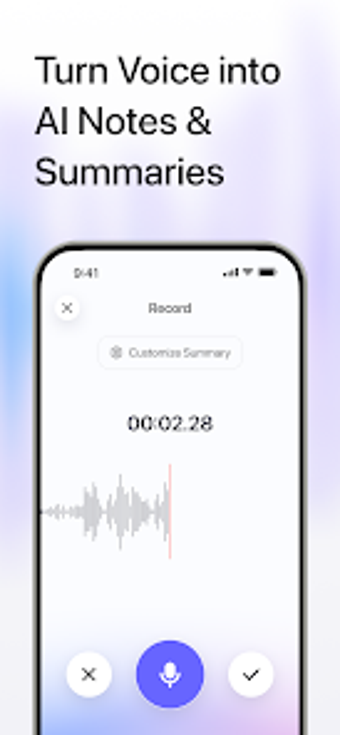
MinuteFlow, developed by Aurora Innovation Limited, is an AI-driven note app designed to capture meetings, interviews, and lectures. It records audio and produces machine transcription plus structured summaries that surface decisions, outlines, and tasks. Key capabilities include speaker identification, synchronized playback, cross-meeting search via an AI Chat, and an integrated task area for follow-up. The app targets business professionals, journalists, students, and project managers who need reliable meeting documentation and linked action tracking.
What the app does as a meeting documentation platform
The app records conversations and converts them into searchable text with AI-powered transcription, making it suitable for professionals who must preserve verbal decisions. It ties original audio files to transcripts and generates structured summaries and outlines, enabling users to keep source material and processed notes connected. The app also supports importing existing audio files, which fits workflows that consolidate previously recorded interviews or sessions.
How the tool structures a meeting-to-action workflow
The app organizes output around transcripts, automated summaries, and extracted next steps, which helps move a discussion into a tracked task list. Action items are linked back to the exact transcript segment and audio, so users can verify context before assigning or completing work. The integrated task area collects those items by meeting, which supports follow-up routines for project managers and team leads who track responsibilities across sessions.
How approachable the interface and learning curve are for professionals
The app offers model flexibility and AI Chat for querying across recordings, which reduces manual searching for details once users learn the chat workflow. Speaker identification and renaming help clean transcripts for multi-person meetings, though using multiple AI models requires some selection choices that may demand experimentation. Templates or guided onboarding are not mentioned, so newcomers may depend on in-app cues and hands-on use to reach proficiency.
How it handles compatibility, collaboration, and cross-meeting intelligence
The app runs on Android and distributes via the Play Store, so teams using mobile devices can transcribe on the go. Cross-meeting intelligence permits questions across an entire meeting history, enabling research across sessions rather than single-recording queries. The combination of synchronized audio playback with text segments and the ability to import audio supports collaboration where colleagues share source files or refer back to specific statements.
MinuteFlow suits mobile-first professionals managing recurring meetings
The app is a practical option for business users and journalists who need precise meeting records and linked action tracking; its mobile Android focus matches on-the-go recording and review. Expect a brief learning window to choose models and to adopt the chat-based search. For teams requiring desktop-first workflows, the Android-only distribution may limit integration into larger, non-mobile documentation pipelines.